
ID: 424
Category: Google
Added: 3rd of March 2026
Views: 984

Gmail is an excellent email client, but it has a tipping point. If you miss even a few days of maintenance, your inbox can quickly spiral into a cluttered mess. Many of us have been there, avoiding our accounts for months because the sheer volume of unread mail feels overwhelming.
A highly effective way to reclaim your inbox is to move the email off the web and onto your desktop by downloading the email client Thunderbird. By connecting your Gmail account via IMAP through Thunderbird, you can manage your mail more efficiently than through a web browser.
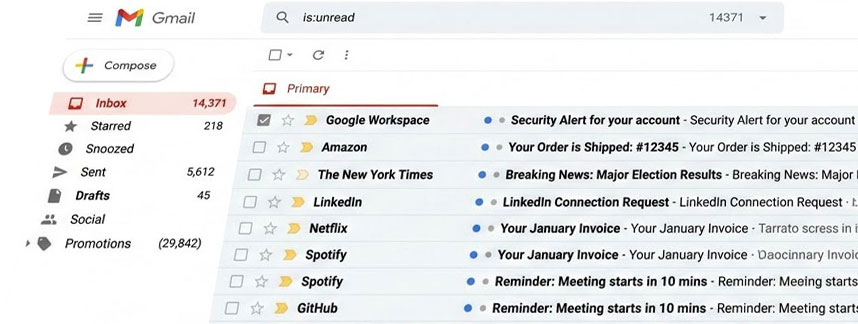
Because Thunderbird is a standalone application for Windows, Mac, and Linux, it can easily handle large scale tasks, like mass deleting thousands of promotional email much faster than you would via the web interface.
Using IMAP, every message you delete or folder you organise in Thunderbird stays perfectly in sync with your Gmail account across all your devices.
Once you have cleared out the clutter, you can use Thunderbird to easily categorise what’s left. Simply create new folders and drag your important messages into them to stay organised.
As a final step to secure your data even further, consider installing the ImportExportTools NG extension which I covered in another tutorial.
This allows you to export your organised emails and attachments into an HTML format, creating a permanent, searchable "hard copy" of your records. By storing these files on an external hard drive, you gain a portable backup that exists independently of Google’s servers and your PC, ensuring you never lose access to your most critical emails ever again.
What is IMAP?
IMAP (Internet Message Access Protocol) is the bridge that keeps your email consistent everywhere. Unlike the older POP protocol which downloads emails to a single device and often removes them from the server, IMAP treats the server as the "source of truth."
If you read or delete an email on your computer, it’s instantly marked as read or deleted on your tablet, smart phone or any other device that has access to gmail.
It also allows you to jump between your PC, tablet, and smartphone without losing track of your progress.
Since the mail lives on the server, you won’t lose your history if your computer crashes.
