How do I turn off website notifications in Google Chrome and Chromium
ID: 403
Category: Google Chrome
Added: 22nd of July 2025
Updated On: Tutorial updated and rechecked on 11th of December 2025
Views: 1,067
Related Tips & Tutorials
➔
How do I turn off Chrome notifications on Android mobile devices

Website notifications can be annoying. To completely turn them off in Google Chrome and Chromium, copy and paste the following shortcut in to the address bar
chrome://settings/content/notifications
Then select
Don't allow sites to send notifications
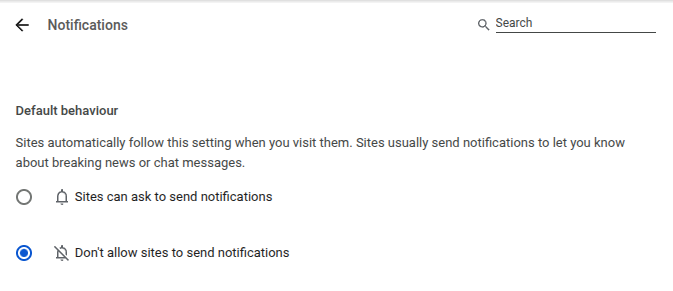
All settings in Google Chrome and Chromium can be accessed via shortcuts in the address bar, and avoids having to use the menus.

