How to disable fastfecth from fish shell on cachyos
ID: 400
Category: Cachyos
Added: 3rd of July 2025
Views: 5,050
Related Tips & Tutorials
➔
Update the fish shell color scheme on cachyos
As much as I like having fastfetch display system information when opening the terminal, it was taking up too much space, so I wanted to disable it.
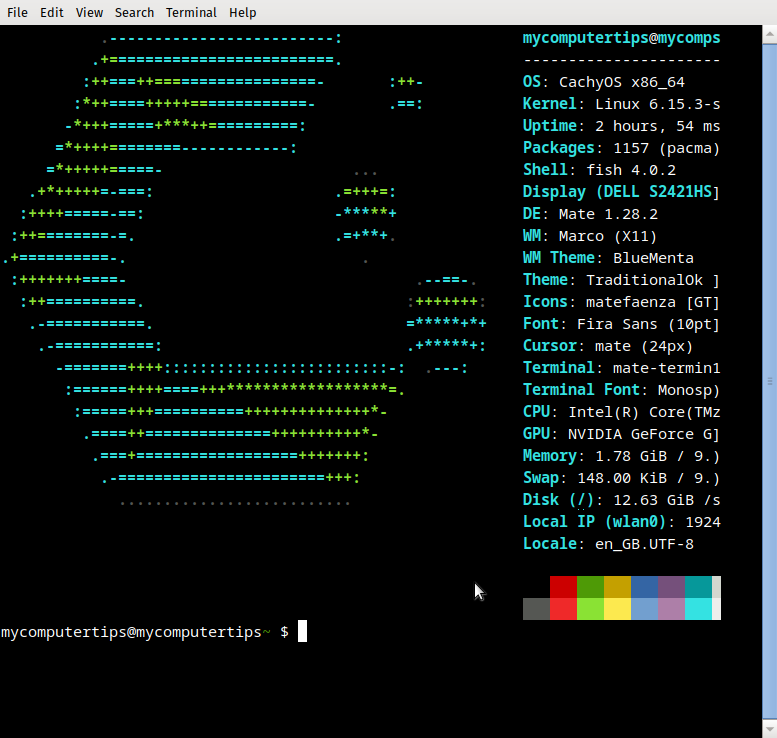
To disable fastfetch you need to edit the cachyos-config.fish file
The cachyos-config.fish file can be found in the following directory
cd /usr/share/cachyos-fish-config/
To edit the file open as root in nano
sudo nano cachyos-config.fish
At the top of the config file you will see the fish_greeting function.
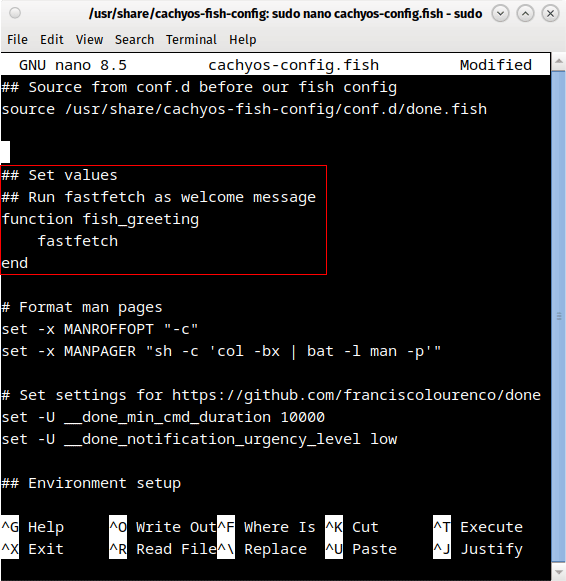
Comment out the fish_greeting function using
#
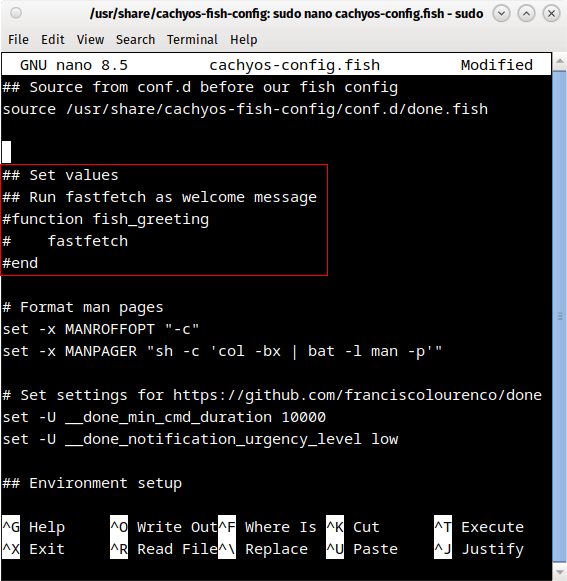
Once you have edited the file press
CTRL +
o and hit enter to save the config file.

Then press
CTRL +
x to exit nono and close the terminal.
Next time you open the terminal, the system information will be removed.


