Update the fish shell color scheme on cachyos
ID: 399
Category: Cachyos
Added: 3rd of July 2025
Views: 2,704
Related Tips & Tutorials
➔
How to disable fastfecth from fish shell on cachyos
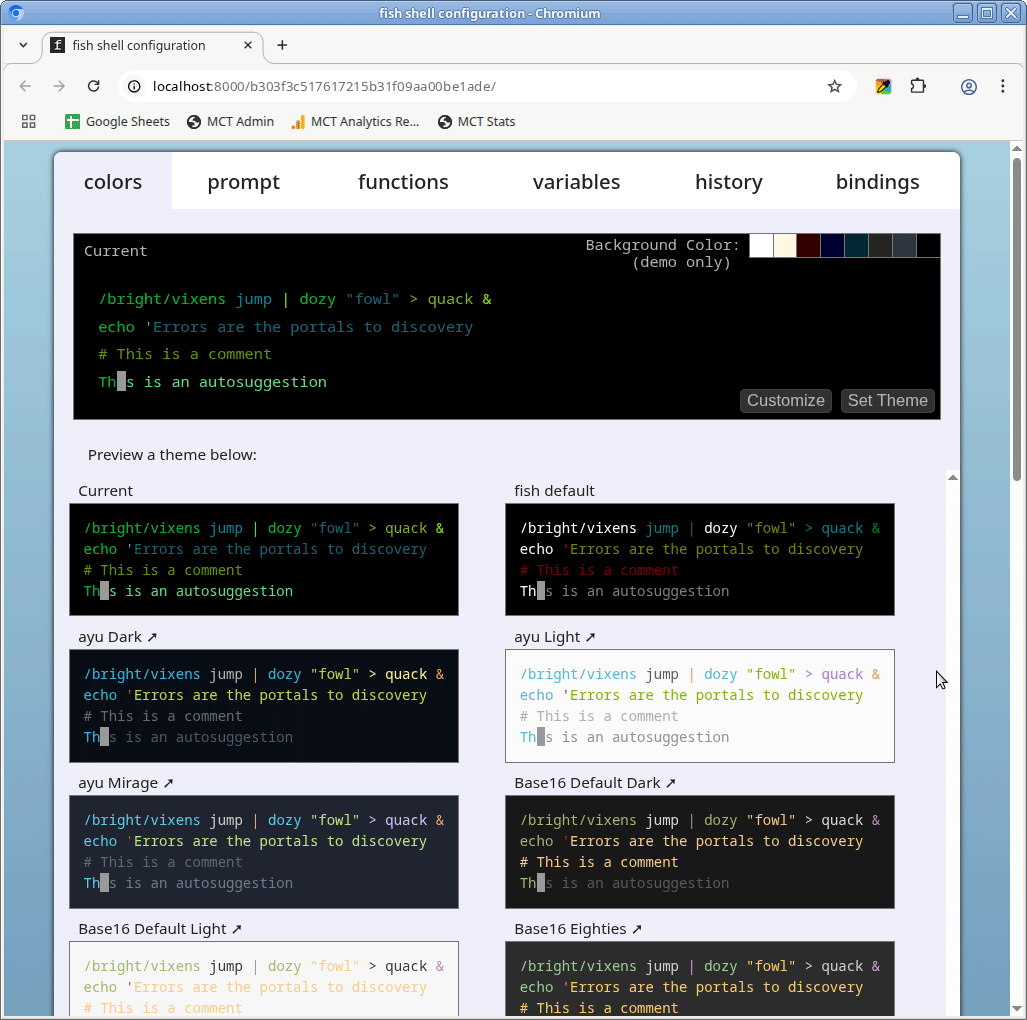
To update the fish shell color scheme using cachyOS, open your terminal and enter the following command
fish_config
The fish config editor will then open a new browser window. From here you can select and set a new theme.
If you need to make the text larger in the terminal then you will need to change this via the font settings of your Window Manager / GUI in your linux distribution.

