
ID: 396
Category: Kubuntu
Added: 2nd of June 2025
Views: 1,854
My preferred way of connecting to an FTP server in Linux is to use Filezilla, however if you use the Dolphin file manager in KDE you can also connect to an FTP server via the Dolphin file manager.
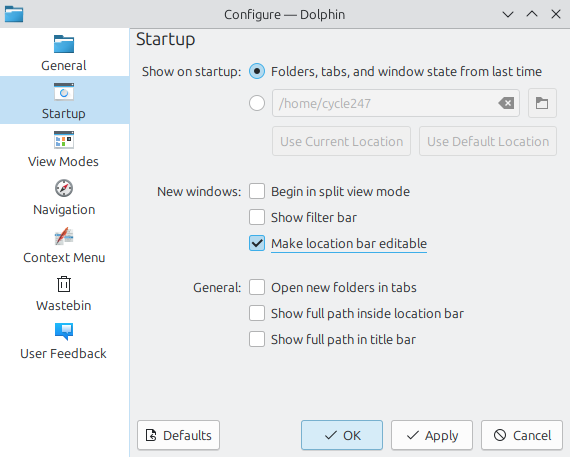
Since there is no editable location bar in Dolphin, we first need to go in to the Dolphin settings to display it.
To do this goto Settings >> Configure Dolphin

Click on Startup then select Make location bar editable
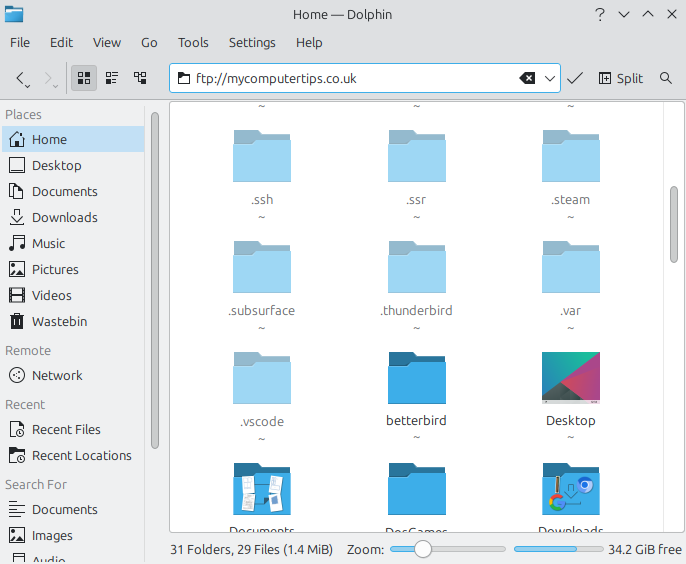
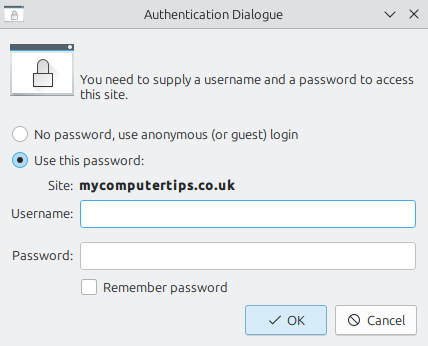
Once you have applied the changes, you just need to enter your ftp address ftp://youraddress in the location bar, then enter your username and password to connect to your FTP server
Please Note: To close the connection to your FTP server, you need to logout of KDE.
