Where are the action scripts located in Nemo file manager
ID: 363
Category: Linux Mint
Added: 23rd of November 2023
Views: 2,024
The action scripts can be found in the following directory
/usr/share/nemo/actions
Inside the
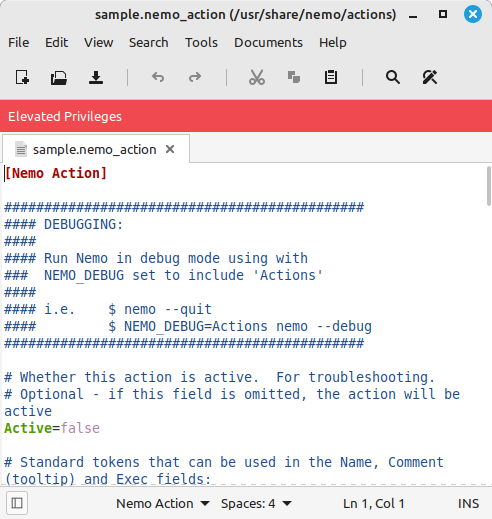
/usr/share/nemo/actions/ folder you will find a sample action file
sample.nemo_action You can use this to create your own custom action
Open the sample action file in your own text editor. Mint uses xed as the default text ediitor, but you might want to use Geany or another text editor depending on what packages you have installed in your own Linux Distribtion
sudo xed /usr/share/nemo/actions/sample.nemo_action
You can create all sorts of action scripts, for example right click for System Info or a script that calls a bash script to back up your .thunderbird folder.

